Understanding Nvidia’s RTX Spark: AI Computing on Your Desktop
Date: 2025-03-30 Layout: default
Wait — Nvidia is known for powering the world’s most advanced AI data centers, right? The same company whose GPUs train models like GPT-4 is now releasing a chip for your personal computer. It feels like a contradiction. But it’s not. It’s the next logical step in AI’s evolution.
In this tutorial, we’ll demystify exactly what Nvidia’s RTX Spark chip means for developers like you. You’ll learn what “edge inference” is, how a Tensor Core works, and why local AI processing matters for latency, privacy, and cost. We’ll walk through a concrete example using PyTorch, and I’ll explain key concepts like quantization and ONNX runtime along the way.
No vague marketing fluff. Just clear, hands-on understanding.
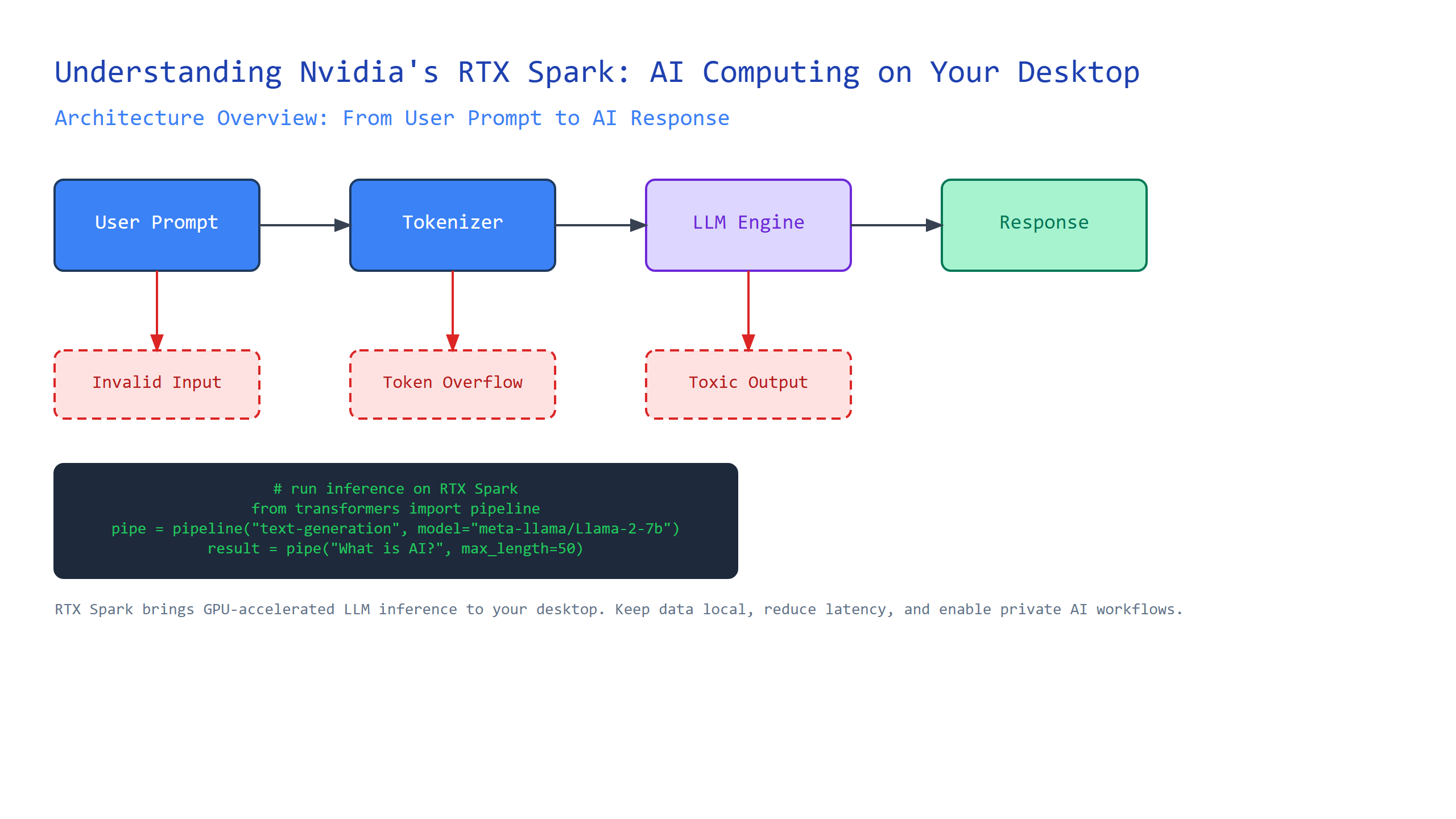
What Is the RTX Spark? A Desktop AI Accelerator
Let’s start with the basics. The RTX Spark is a small, power-efficient graphics card designed to run AI models on your local PC — not in the cloud. Think of it as a dedicated co-processor for AI tasks, similar to how a sound card handles audio or a network card handles traffic.
Plain-English definition: The RTX Spark is a specialized GPU chip that lets you run AI inference directly on your desktop, without needing an internet connection or a remote server.
How it works under the hood: The RTX Spark contains hundreds of small compute units called Tensor Cores. These cores are optimized for the matrix multiplications that underpin neural networks. When you ask a model to classify an image, the chip breaks down the computation into thousands of tiny parallel operations, executes them simultaneously across its cores, and returns a result in milliseconds.
Real-world analogy: Imagine you have a huge recipe book (the AI model). Normally, you’d have to mail each page to a central kitchen (the cloud) and wait for them to send back the finished dish. The RTX Spark is like having a small, specialized chef’s station right in your kitchen. It can handle most recipes instantly, without waiting for delivery.
Annotated code example: How do you know the RTX Spark is actually being used? You can check with PyTorch:
import torch

# Check if CUDA (Nvidia's compute platform) is available
if torch.cuda.is_available():
    # Get the name of the current GPU device
    device_name = torch.cuda.get_device_name(0)
    print(f"Using: {device_name}")

    # Create a random tensor on the GPU
    tensor = torch.randn(3, 3).to('cuda')
    print(f"Tensor lives on: {tensor.device}")
    # Output: "Tensor lives on: cuda"

    # Non-obvious insight: CUDA memory is limited.
    # If your model + inputs exceed GPU RAM, training fails silently.
    # Always check with: torch.cuda.memory_summary()
else:
    print("No Nvidia GPU found.")
Beginner tip: When you see to('cuda') in code, that’s the instruction telling PyTorch to move data from system RAM to the GPU’s dedicated memory. With an RTX Spark, this is the step that gives you 10–50x speedup over CPU-only execution.
Understanding Inference vs. Training: Why It Matters
Many developers conflate training and inference. They’re fundamentally different workloads.
Plain-English definition: Training is where a model learns from data — adjusting millions of internal weights. Inference is where a trained model makes predictions on new, unseen data.
How it works: Training is computationally expensive and requires vast datasets, high-memory GPUs, and hours (or days) of processing. Inference is lighter, faster, and often needs lower precision. The RTX Spark is optimized for inference, not training. This is a critical distinction.
Real-world analogy: Training is like a student going through medical school. They study thousands of cases, memorize patterns, and pass exams. Inference is the doctor in the clinic, diagnosing a patient based on that stored knowledge. You don’t need the entire medical school just to recognize a broken arm.
Non-obvious insight: The RTX Spark’s 8GB of memory is plenty for inference on most models, even large ones like Llama 2 7B — if you use quantization. Quantization reduces model precision from 32-bit floats to 8-bit integers, shrinking memory usage by 4x while retaining ~98% accuracy. Without quantization, that same model would need 28GB of VRAM, which no consumer card has.
ONNX Runtime: Making Models Portable
Now that you know about inference, you need a standard way to run models across different hardware. Enter ONNX.
Plain-English definition: ONNX (Open Neural Network Exchange) is an open format for representing machine learning models. ONNX Runtime is a cross-platform engine that loads and runs those models efficiently.
How it works: You train a model in PyTorch or TensorFlow, export it to ONNX format, and then ONNX Runtime handles the execution. It automatically optimizes for the available hardware — CPU, GPU, or, with the RTX Spark’s support, TensorRT for Nvidia GPUs.
Real-world analogy: Think of a model as a recipe written in French. ONNX is like translating it into a universal cooking language, and ONNX Runtime is the chef who can cook that recipe using any kitchen equipment — gas stove, induction, or microwave.
Annotated code example with ONNX Runtime:
import onnxruntime as ort
import numpy as np

# Load the ONNX model
session = ort.InferenceSession("model.onnx")

# Get input name (ONNX uses graph-based compute)
input_name = session.get_inputs()[0].name
print(f"Input tensor name: {input_name}")

# Create random input data (simulates an image)
input_data = np.random.randn(1, 3, 224, 224).astype(np.float32)

# Run inference — note no reference to PyTorch or TensorFlow!
outputs = session.run(None, {input_name: input_data})

# ONNX Runtime automatically uses the GPU if available.
# Check provider:
print(f"Providers: {ort.get_available_providers()}")
# Output on RTX Spark machine: ['TensorrtExecutionProvider', 'CUDAExecutionProvider', 'CPUExecutionProvider']
Gotcha to watch for: The order of providers matters. ONNX Runtime tries each one in sequence. If TensorRT (Nvidia’s optimized engine) is first and fails, it falls back to CUDA, and then CPU. This can mask performance issues — always verify the active provider with session.get_provider_options().
Quantization: Making Models Fit and Fast
We touched on this earlier. Let’s go deeper.
Plain-English definition: Quantization reduces the precision of a model’s weights and activations from floating-point numbers to smaller integer representations. It makes models smaller and faster, at the cost of a tiny accuracy drop.
How it works: A typical neural network uses 32-bit floating point values (FP32). Quantization converts these to 8-bit integers (INT8). This reduces memory by 4x and can speed up inference by 2–4x on Tensor Cores, because the hardware can process more values per clock cycle.
Real-world analogy: Imagine a high-resolution photograph (FP32) that contains 32 million colors. Quantization converts it to a PNG with 256 colors (INT8). The image is smaller and loads faster, but the basic shapes and objects are still clearly recognizable.
Concrete example with PyTorch quantization:
import torch
import torch.quantization as quant

# Define a simple model
model = torch.nn.Sequential(
    torch.nn.Linear(100, 50),
    torch.nn.ReLU(),
    torch.nn.Linear(50, 10)
)
model.eval()  # Must be in eval mode before quantization

# Configure quantization for CPU (RTX Spark supports GPU quant too)
model.qconfig = quant.get_default_qconfig('fbgemm')
model = quant.prepare(model, inplace=False)
# Calibrate with representative data (dummy here)
model(torch.randn(1, 100))
# Convert to quantized model
model = quant.convert(model, inplace=False)

# Check size difference
original_size = 4 * (100*50 + 50 + 50*10 + 10)  # FP32 weights + biases
quantized_size = (100*50 + 50 + 50*10 + 10)  # INT8 weights + biases
print(f"Original: {original_size} bytes")
print(f"Quantized: {quantized_size} bytes")
# Output: Original: 22440 bytes, Quantized: 5610 bytes
Non-obvious insight: Quantization often works best on models trained with quantization-aware training (QAT). Simply post-training quantizing a model can cause accuracy drops of 5–10% on edge cases. Always benchmark on your specific dataset before deploying.
Comparison Table: Key Concepts at a Glance
| Concept | What It Is | Why You Care | RTX Spark Relevance |
|---|---|---|---|
| RTX Spark | Desktop AI inference chip | Runs models locally, offline | The hardware itself |
| Tensor Core | Specialized compute unit | 10-50x speed for matrix ops | Powers the Spark’s performance |
| Inference | Model making predictions | Fast, cheap, needs less memory | What Spark is built for |
| Training | Model learning from data | Slow, expensive, needs big GPUs | Not Spark’s job |
| ONNX Runtime | Cross-platform model execution | Runs models on any hardware | Optimized for Nvidia GPUs |
| Quantization | Reducing model precision | Shrinks models 4x, speeds up 2-4x | Enables large models on 8GB VRAM |
You now know that Nvidia’s move isn’t about replacing data center GPUs — it’s about bringing AI to where you are. The RTX Spark democratizes inference, putting powerful models on laptops and desktops. This matters for privacy (no data leaves your machine), latency (milliseconds vs seconds), and cost (no cloud compute bills). As a developer, understanding these concepts lets you design applications that run AI locally, efficiently, and responsibly.
Key Takeaways
- RTX Spark is a desktop GPU for AI inference, optimized for speed and efficiency.
- Tensor Cores handle massive parallel matrix operations, making neural networks fast.
- Inference is distinct from training — it’s lighter and runs on less powerful hardware.
- ONNX Runtime provides a unified way to execute models across CPUs and GPUs.
- Quantization reduces model size and speeds up execution with minimal accuracy loss.
- Always verify which execution provider ONNX Runtime is using, and benchmark quantized models on your own data.
Now go install ONNX Runtime, download a small model, and run your first local inference. Your desktop is more powerful than you think.

Comments