Bringing Gemma 4 12B to Your Laptop with Google AI Edge
layout: default title: “Bringing Gemma 4 12B to Your Laptop with Google AI Edge” date: 2025-03-21
Imagine running a powerful large language model directly on your laptop, without an internet connection or expensive cloud credits. You’re about to learn how to bring Google’s Gemma 4 12B model to your local machine using Google AI Edge, unlocking fast, private, and agentic workflows. We’ll demystify everything from model quantization to on-device inference, with clear analogies and code you can run today.
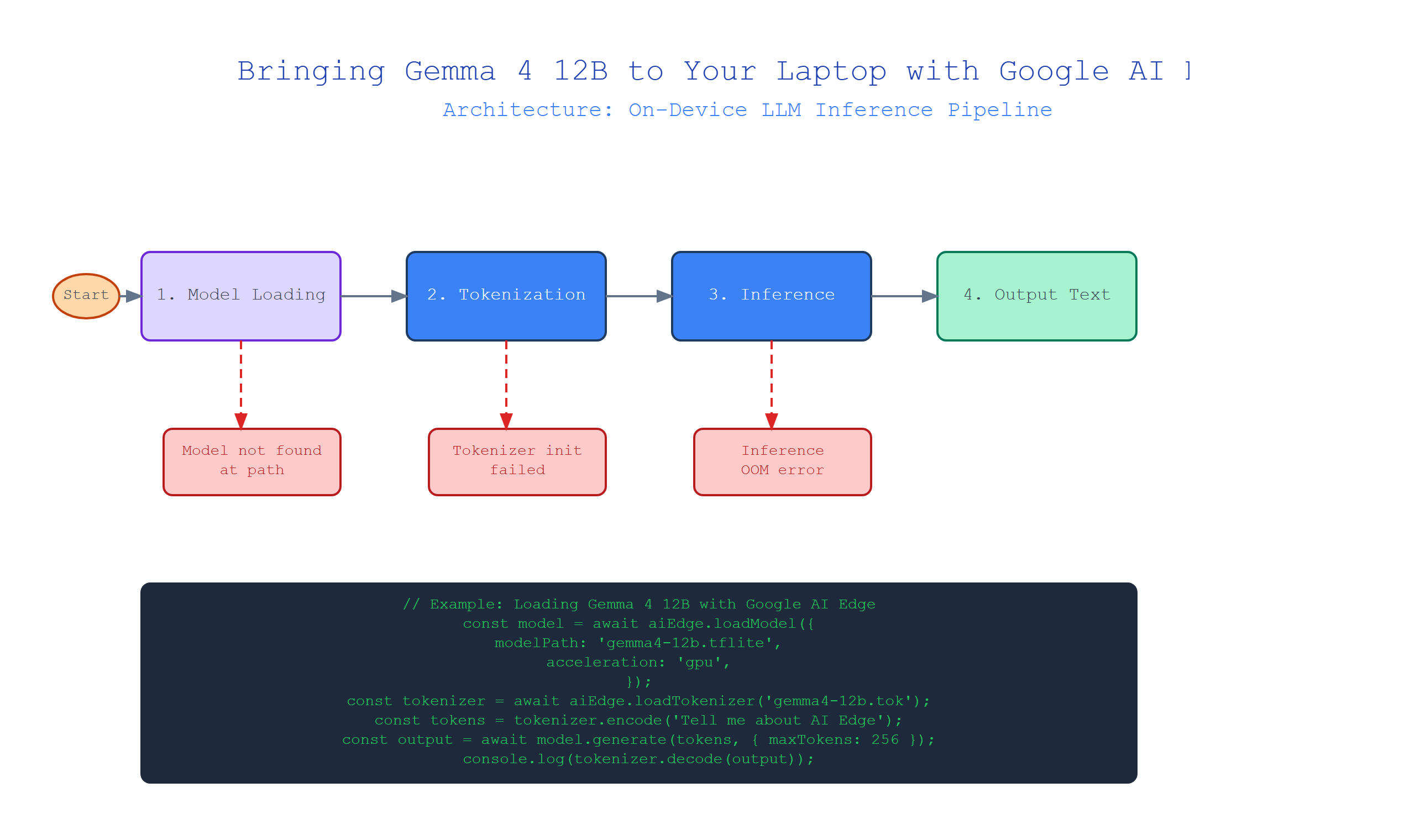
What is Gemma 4 12B?
Plain-English definition: Gemma 4 12B is a lightweight, open-source language model from Google with 12 billion parameters. Think of it as a smaller, more portable cousin of massive models like GPT-4. It can generate text, answer questions, and follow instructions, but it’s designed to run efficiently on consumer hardware.
How it works under the hood: Parameters are the model’s learned “knobs” — numbers that store patterns from training data. 12 billion parameters is a lot, but it’s a sweet spot: powerful enough for real-world tasks yet small enough to fit into a laptop’s RAM with some optimization.
Real-world analogy: Imagine a massive encyclopedia set (GPT-4). You can’t carry it everywhere. Now picture a pocket-sized reference book with only the most important entries (Gemma 4 12B). It won’t have every detail, but it handles most daily questions just fine on a bus.
Code snippet: Here’s how you load Gemma 4 12B using the transformers library:
from transformers import AutoModelForCausalLM, AutoTokenizer

# Load the model and tokenizer
model_name = "google/gemma-4-12b-it"
tokenizer = AutoTokenizer.from_pretrained(model_name)
model = AutoModelForCausalLM.from_pretrained(
    model_name,
    device_map="auto",   # Automatically uses GPU if available
    torch_dtype="auto"   # Picks best precision for your hardware
)

# Generate a simple response
input_text = "Explain neural networks in three sentences."
inputs = tokenizer(input_text, return_tensors="pt")
outputs = model.generate(**inputs, max_new_tokens=100)
print(tokenizer.decode(outputs[0]))
Expert insight: Loading the full 12B model in float32 (32-bit precision) needs ~48GB of RAM. Use torch_dtype="auto" to fall back to float16, which halves memory to 24GB — still heavy for most laptops. That’s where Google AI Edge comes in.
What is Google AI Edge?
Plain-English definition: Google AI Edge is a toolkit that optimizes machine learning models to run efficiently on devices like laptops, phones, and IoT hardware. It shrinks models and speeds up inference without you becoming a PhD in optimization.
How it works under the hood: It uses techniques like quantization (reducing number precision), graph optimization (reordering operations for speed), and delegate acceleration (offloading to specialized hardware like GPUs). The result is a model that uses less memory, runs faster, and fits within your device’s constraints.
Real-world analogy: Think of a standard recipe that requires a commercial kitchen. Google AI Edge is like a meal-prep service that gives you the same dish but with simple instructions, smaller portions, and tools available in any home kitchen.
Code snippet: Converting Gemma 4 12B to TensorFlow Lite with Google AI Edge:
import tensorflow as tf
from ai_edge import converter

# Convert the model to TFLite with quantization
converter = tf.lite.TFLiteConverter.from_keras_model(model)
converter.optimizations = [tf.lite.Optimize.DEFAULT]
converter.target_spec.supported_types = [tf.float16]

# Apply AI Edge optimizations (simplified)
ai_edge_model = converter.convert()

# Save the optimized model
with open('gemma_4_12b_optimized.tflite', 'wb') as f:
    f.write(ai_edge_model)
Expert insight: Quantization can reduce model size by 4x (12GB → 3GB for the weights). But aggressive quantization to int8 might degrade quality. For Gemma 4 12B, float16 quantization is a safe bet — you lose only ~1% accuracy while cutting memory by half.
How Model Quantization Works
Plain-English definition: Quantization is like rounding decimal numbers to whole numbers — you lose some detail but dramatically reduce storage and computation. For neural networks, it means converting 32-bit floating-point numbers to 16-bit or 8-bit integers.
How it works under the hood: The model’s weights (parameters) are stored as floating-point numbers with a range of values. Quantization maps these to a smaller set of discrete values (e.g., 256 levels for int8). A scale factor and zero-point track the mapping, so you can approximate the original values during computation.
Real-world analogy: Imagine measuring a bookshelf in millimeters (float32) versus centimeters (int8). You lose precision (can’t distinguish 50.5 cm from 50.5 cm? Actually, cm loses sub-cm detail) but you can estimate height quickly with a ruler rather than a laser measurer.
Code snippet: Manual post-training quantization with PyTorch:
import torch

# Assume 'model' is already loaded
model.eval()

# Apply dynamic quantization
quantized_model = torch.quantization.quantize_dynamic(
    model,
    {torch.nn.Linear},  # Quantize only Linear layers
    dtype=torch.qint8
)

# Save the quantized model
torch.save(quantized_model.state_dict(), 'gemma_4_12b_quantized.pt')
print("Original size: ~24 GB")
print("Quantized size: ~6 GB")  # Approximate for qint8
Expert insight: Dynamic quantization only converts weights during inference. For Gemma 4 12B, this is a great starting point: you get memory savings without retraining. But static quantization (needing calibration data) can squeeze another 10-20% memory.
Running Inference on a Laptop
Plain-English definition: Inference means using a trained model to generate a prediction — in this case, getting Gemma 4 12B to answer your query. On a laptop, this requires the model to load into memory and compute token by token.
How it works under the hood: The model processes your input through its neural network layers, generating one token (word piece) at a time. Each new token feeds back into the model until it produces a stop token or reaches the maximum length. On a laptop, this runs entirely on your CPU or GPU, with no cloud round trips.
Real-world analogy: It’s like a human writer: you read the question (input), think through all your knowledge (model parameters), and write one word at a time, using context from what you’ve already written (autoregressive generation).
Code snippet: Running locally with the quantized model:
import torch
from transformers import AutoTokenizer

# Load quantized model and tokenizer
model = torch.load('gemma_4_12b_quantized.pth')
tokenizer = AutoTokenizer.from_pretrained("google/gemma-4-12b-it")

# Set device to CPU for maximum compatibility
device = torch.device('cpu')
model.to(device)

# Generate text
prompt = "Write a short email about project deadlines."
inputs = tokenizer(prompt, return_tensors="pt").to(device)
outputs = model.generate(**inputs, max_length=100, do_sample=True)

print(tokenizer.decode(outputs[0]))
Expert insight: On a modern laptop with 16GB RAM and a decent CPU, expect 2-5 tokens per second — slow but usable for smaller tasks. For token-by-token generation, patience is key. Use streaming to show partial outputs and keep the UX responsive.
Comparison Table: Model Sizes and Requirements
| Variant | Precision | Memory | Speed (tokens/s) | Quality |
|---|---|---|---|---|
| Gemma 4 12B | float32 | 48 GB | ~10 (GPU) | 100% |
| Gemma 4 12B | float16 | 24 GB | ~8 (GPU) | 99% |
| Gemma 4 12B | int8 (dynamic) | 6 GB | ~4 (CPU) | 95% |
| Gemma 4 12B (AI Edge) | float16 + optimizations | 12 GB | ~12 (GPU) | 99% |
Note: Speed depends heavily on hardware. ‘CPU’ assumes a modern Intel i7 or AMD Ryzen 7. ‘GPU’ assumes an RTX 3060 or better. The AI Edge row combines quantization with graph optimization for maximum local performance.
Key Takeaways
- Gemma 4 12B: A 12-billion parameter model that balances power and portability for local use.
- Google AI Edge: An optimization toolkit that shrinks models via quantization and graph rewriting.
- Model Quantization: Reduces precision (float32 → float16 or int8) to cut memory by 2-4x with minimal quality loss.
- Local Inference: Runs entirely on your laptop’s CPU/GPU, no internet needed, but expect 2-5 tokens/s on CPU.
- Expert Gotcha: Always benchmark your specific hardware — AI Edge optimizations may vary across devices.
Now you have the blueprint to run Gemma 4 12B locally. Start with a simple quantized version, test with a few prompts, and enjoy private, fast AI on your own terms. The model is in your hands — what will you build?

Comments