Agentic Data Access: How Enterprise AI Is Learning to Fetch Its Own Answers
Enterprise data is a mess. You have SQL databases, REST APIs, CSV files, and enough JSON blobs to make a data engineer cry. Now imagine asking an AI to answer a question that requires data from all three sources — without you writing a single line of glue code.
That’s agentic data access in a nutshell. An AI that can decide how to get the data it needs, not just regurgitate what it already knows.
In this tutorial, you’ll learn what agentic data access is, how it works under the hood, and — most importantly — how to build a simple version yourself. We’ll cover tool calling, function execution, context windows, and the critical difference between retrieval and reasoning.
By the end, you’ll understand why this shift from “dumb data access” to “smart data access” is transforming enterprise AI. And you’ll have code you can run.
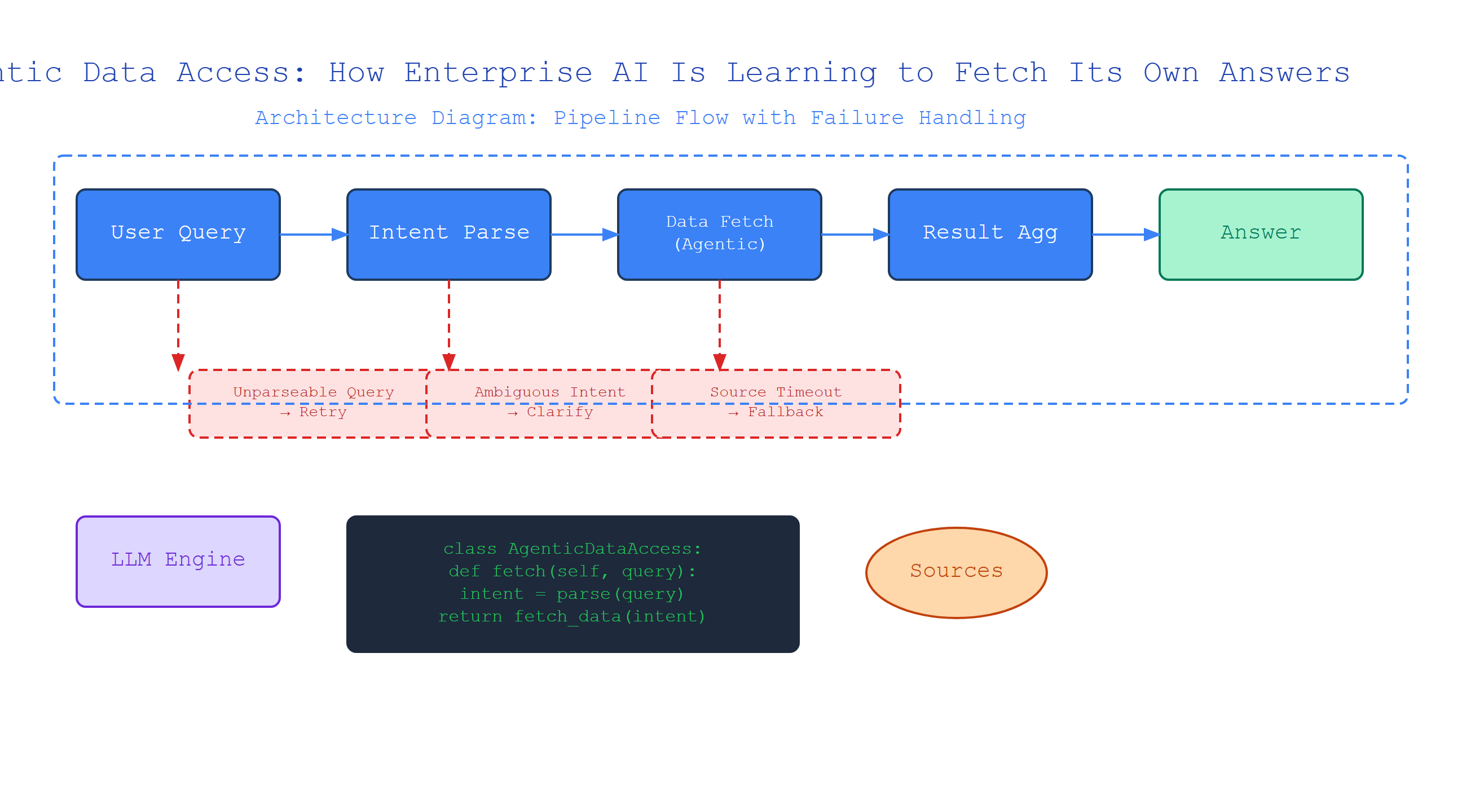
What Is Tool Calling? (The Engine of Agentic Data Access)
Plain-English definition: Tool calling is when an AI model recognizes it doesn’t know something, so it asks for permission to run a specific function to find out.
How it works: The model generates a special JSON structure — not plain text — that specifies a function name and its arguments. Your code intercepts this, runs the function, and feeds the result back into the model’s context.
Analogy: Picture a chef who doesn’t know if the fridge has eggs. Instead of guessing, they say, “Check the fridge” and wait for the answer. That’s tool calling — the chef (AI) asks a kitchen assistant (your code) to fetch information.
Code example — OpenAI’s tool calling pattern:
import openai

# Define the tool the model can use
tools = [
    {
        "type": "function",
        "function": {
            "name": "get_employee_salary",
            "description": "Get the salary for an employee by ID",
            "parameters": {
                "type": "object",
                "properties": {
                    "employee_id": {"type": "integer"}
                }
            }
        }
    }
]

# Step 1: Send user query with tool definitions
response = openai.ChatCompletion.create(
    model="gpt-4",
    messages=[{"role": "user", "content": "What is employee 12345's salary?"}],
    tools=tools
)

# Step 2: Check if model wants to call a tool
if response.choices[0].message.tool_calls:
    tool_call = response.choices[0].message.tool_calls[0]
    function_name = tool_call.function.name
    arguments = json.loads(tool_call.function.arguments)

    # Step 3: Execute the function yourself
    result = get_employee_salary(arguments["employee_id"])

    # Step 4: Send result back to the model
    second_response = openai.ChatCompletion.create(
        model="gpt-4",
        messages=[
            {"role": "user", "content": "What is employee 12345's salary?"},
            response.choices[0].message,
            {"role": "tool", "content": json.dumps(result), "tool_call_id": tool_call.id}
        ],
        tools=tools
    )
Non-obvious insight: The model doesn’t execute the tool. It only desires the tool. Your code must handle execution safely — otherwise, you could accidentally expose sensitive operations to prompt injection.
Function Execution: The Bridge Between AI and Your Systems
Plain-English definition: Function execution is the actual runtime environment that takes the model’s tool call request and runs the real-world operation — whether that’s a database query, an API call, or a file read.
How it works: You define a Python function (or any language). The AI describes what it wants. Your runtime maps the description to the actual function, passes the parsed arguments, and collects the output.
Analogy: Imagine you’re a translator. Someone says “book a flight to Paris.” You don’t fly the plane — you call the airline, book the ticket, and report back. Function execution is you making that phone call.
Code example — building a safe execution layer:
import sqlite3
import json

# Your actual data-access functions
def query_database(sql: str) -> list:
    """Execute a read-only SQL query. NEVER allow DDL or DML."""
    if not sql.strip().upper().startswith("SELECT"):
        raise ValueError("Only SELECT queries allowed")
    conn = sqlite3.connect("enterprise.db")
    cursor = conn.cursor()
    cursor.execute(sql)
    return [dict(row) for row in cursor.fetchall()]

# Mapping tool names to actual functions
TOOL_REGISTRY = {
    "query_database": query_database,
    "fetch_user_profile": lambda user_id: {"id": user_id, "name": "Alice"}
}

def execute_tool(tool_name: str, arguments: dict):
    """Safely execute a tool by name."""
    if tool_name not in TOOL_REGISTRY:
        raise ValueError(f"Unknown tool: {tool_name}")

    func = TOOL_REGISTRY[tool_name]
    return func(**arguments)
Gotcha: Never let the model generate raw SQL directly, even inside a function call. The model might hallucinate a DROP TABLE statement — it doesn’t understand security boundaries, only syntax patterns.
Context Windows: The AI’s Short-Term Memory
Plain-English definition: A context window is the maximum amount of text an AI model can “see” at once when generating a response. It’s the model’s working memory.
How it works: Every input — user message, system prompt, tool results, previous turns — must fit within this window. If your tool returns 10,000 rows of data, but the context window holds only 8,000 tokens, something gets truncated.
Analogy: Think of a whiteboard. You can write a question, the model writes an answer, then you add another question. But once the whiteboard is full, you must erase something old to write something new.
Why this matters for agentic data access: Each tool call takes space in the context window. The result of the tool call takes even more space. If you chain five tool calls, your next query might bump the first one off the whiteboard — losing crucial context for the model.
Code example — estimating token usage:
import tiktoken

encoding = tiktoken.encoding_for_model("gpt-4")

def count_tokens(tool_results: list[dict]) -> int:
    """Estimate how many tokens tool results consume."""
    text = json.dumps(tool_results)
    return len(encoding.encode(text))

# If your tool returns 200KB of JSON, that's ~50K tokens
# GPT-4 has an 8K context window by default
# You've already lost. Upgrade to 32K or trim aggressively.
Non-obvious insight: Large tool results don’t just waste space — they can degrade model performance. The model has to attend to thousands of irrelevant tokens to find the one relevant answer. Always return the minimum viable data.
Retrieval vs. Reasoning: The Critical Distinction
Plain-English definition: Retrieval is fetching stored data. Reasoning is applying logic to that data. Agentic data access orchestrates both — it retrieves what it needs, then reasons about what it retrieved.
How it works: A pure RAG system retrieves documents, but doesn’t decide how to combine them. An agentic system might call query_database for structured data, fetch_document for unstructured data, then call calculate_average on both results — all autonomously.
Analogy: A librarian who only hands you books is a retrieval system. A librarian who reads those books, cross-references them, and writes a summary is an agentic system. The second librarian does reasoning, not just fetching.
Why this matters: Most enterprise AI systems today are “retrieve-and-regurgitate.” Agentic data access is “retrieve-analyze-synthesize.” It’s the difference between “Here’s what the document says” and “Here’s what the data means.”
Comparison Table: How All Concepts Fit Together
| Concept | What it does | Example tool | Risk to watch for |
|---|---|---|---|
| Tool calling | Model requests a function | get_employee_salary |
Hallucinating non-existent tools |
| Function execution | Your code runs the tool | sqlite3.execute() |
SQL injection via model output |
| Context window | Space for all inputs/outputs | 8K, 32K, 128K tokens | Tool results consuming all space |
| Retrieval | Fetching stored data | query_database |
Returning too much data |
| Reasoning | Deriving insights from data | calculate_average |
Acting on incomplete data |
Key Takeaways
- Tool calling is how an AI asks to run code — it generates a function call, your code executes it
- Function execution is the implementation layer that safely maps tool names to actual Python functions
- Context windows constrain how much data can be passed between tool calls — treat them as a scarce resource
- Retrieval (fetching) and reasoning (analyzing) are separate capabilities; agentic systems combine both
- Security is your responsibility — never trust the model’s output as safe input to your systems
- Return minimal data — large results degrade model performance, not just token budget
Enterprise AI isn’t just getting smarter. It’s getting more capable. The models know what they don’t know — and now they can go find the answers themselves. Your job is to build the bridges safely.

Comments