Coding Agents Are Becoming Real Team Members
You’ve probably heard about AI coding assistants. Maybe you’ve used GitHub Copilot to autocomplete a function or asked ChatGPT to debug a regex. That’s table stakes now. But something bigger is happening: coding agents are evolving from glorified autocomplete into autonomous team members that plan, execute, and iterate on real software tasks. This tutorial will demystify what coding agents actually are, how they work under the hood, and why they’re becoming indispensable for modern development teams. You’ll learn about agentic workflows, tool-use orchestration, context windows, and the surprising limitations most tutorials gloss over.
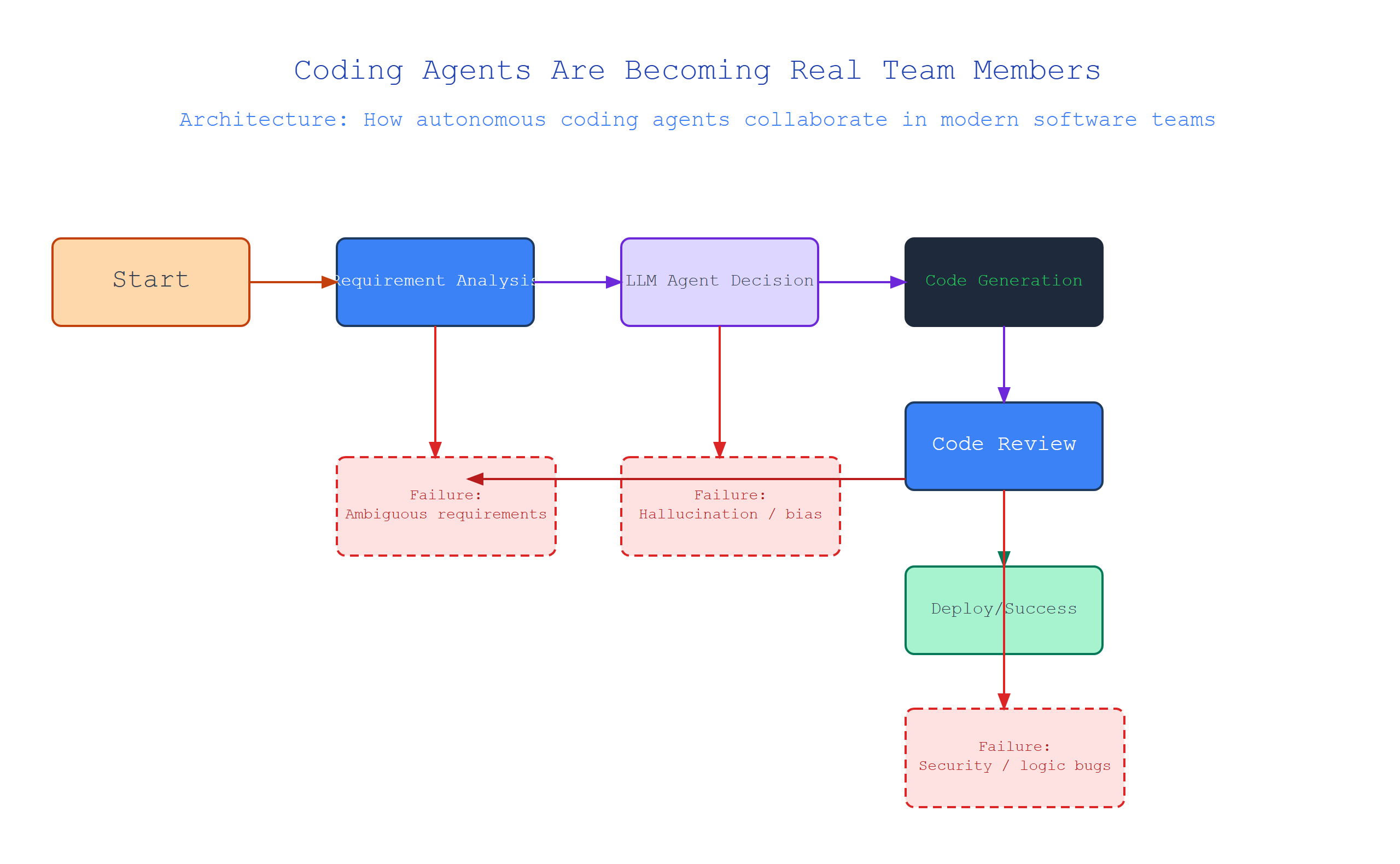
What Is a Coding Agent, Really?
A coding agent is an AI system that doesn’t just generate code—it acts on your behalf. Think of it as a junior developer who can understand a task, break it down into steps, write code, run tests, debug failures, and report results back to you. Unlike a one-shot code generator that spits out a function and stops, an agent loops: it acts, observes the outcome, and adjusts.
How it works: Under the hood, a coding agent wraps a large language model (LLM) with an orchestration layer. This layer gives the LLM access to tools: a file system, a shell terminal, a code editor API, a web browser, and a package manager. The agent’s “brain” (the LLM) decides which tool to call next, passes parameters, and evaluates the tool’s output to inform its next action.
Analogy: A coding agent is like a chef who can taste the soup, adjust the seasoning, re-taste, and serve. A regular code generator is like a cookbook that only gives you the recipe once.
Code example (pseudocode for an agent loop):
class CodingAgent:
    def __init__(self, llm, tools):
        self.llm = llm          # The language model "brain"
        self.tools = tools      # Dict of available tools: {"read_file": ..., "run_python": ...}
        self.memory = []        # Conversation history

    def run_task(self, task_description):
        self.memory.append({"role": "user", "content": task_description})
        while not self.task_complete():
            # Step 1: LLM decides what action to take next
            response = self.llm.generate(self.memory, tools=list(self.tools.keys()))
            # Step 2: Parse the response to extract tool call
            tool_name, tool_args = self.parse_tool_call(response)
            # Step 3: Execute the tool and observe the result
            tool_result = self.tools[tool_name](**tool_args)
            # Step 4: Append observation to memory for the next loop iteration
            self.memory.append({"role": "observation", "content": tool_result})
        return self.final_result()
Key insight: The agent doesn’t just run code once. It evaluates outputs and decides whether to iterate. This is the difference between a script and an agent.
The Orchestration Layer: How Agents Decide What to Do
The orchestration layer is the agent’s decision-making backbone. Without it, an LLM is just a fancy text predictor. With it, the LLM can chain multiple actions together to solve complex tasks.
Definition: Orchestration is the process of managing the sequence of tool calls, handling errors, and maintaining context across multiple steps. It’s the “glue” that turns raw LLM outputs into autonomous behavior.
How it works: Modern agents use a pattern called ReAct (Reasoning + Acting). The LLM is prompted to output structured thoughts like “I need to read the current file to understand the codebase structure” before calling the read_file tool. Each thought-tool-observation cycle forms a step. The orchestration layer parses these structured outputs, executes the tools, feeds observations back to the LLM, and loops until the task is done.
Analogy: Think of orchestration like a project manager. The LLM is the expert who knows how to do the work. The orchestration layer is the PM who reminds the expert what tools are available, tracks progress, and makes sure the expert doesn’t go off on a tangent.
Real example: The open-source framework LangChain implements this with its AgentExecutor class. Here’s a simplified version showing how orchestration works:
# Simplified orchestration loop
from langchain.agents import AgentExecutor, create_react_agent
from langchain.tools import tool

@tool
def search_web(query: str) -> str:
    """Search the web for information. Useful for looking up APIs or docs."""
    # Calls a web search API and returns results
    return web_search_api(query)

@tool
def execute_python(code: str) -> str:
    """Run Python code in a sandboxed environment. Returns stdout."""
    return sandbox.run(code)

# The agent itself
agent = create_react_agent(llm, tools=[search_web, execute_python])
agent_executor = AgentExecutor(agent=agent, tools=[search_web, execute_python], verbose=True)

# Run a task
result = agent_executor.invoke({"input": "Find the current date, then write a script that prints 'Hello World' and run it"})
Watch the verbose output—you’ll see the agent think (“I need to search for today’s date”), act (call search_web), observe (get the date), then think again (“Now I’ll write the script and run it”), act (call execute_python), observe (get the output). That loop is orchestration.
Context Windows: The Agent’s Memory Bottleneck
Context windows define how much information an agent can “remember” at once. Think of it like a whiteboard—once it’s full, something has to be erased.
Definition: The context window is the maximum number of tokens (roughly, words or pieces of words) that an LLM can process in a single prompt. For coding agents, this includes the system prompt, conversation history, file contents, and tool outputs.
How it works: The agent’s memory grows with each step. Eventually, it hits the context limit (commonly 32K, 128K, or 200K tokens depending on the model). When it does, the orchestration layer must decide what to keep and what to discard. Most agents use sliding windows (keep only the last N steps) or summarization (compress older context into a shorter summary).
Gotcha: Here’s where most tutorials get it wrong. They say “just use a bigger context window.” But larger context windows are computationally expensive (quadratic attention costs) and can lead to “lost in the middle” syndrome—the LLM forgets details in the center of long prompts. A 128K context doesn’t mean the agent can actually use 128K worth of relevant information.
Analogy: Your kitchen counter can hold 10 ingredients. A larger counter holds 50. But if you’re cooking a complex meal, you still need to organize, prep, and put things away. A bigger workspace doesn’t fix poor workflow.
Edge case in practice: If an agent edits a large codebase file, it might need to re-read the file on each edit because the full file quickly consumes the context. Smart implementations use diff-based updates (only store the changes, not the full file) or file chunking (read only relevant sections). Here’s what that looks like:
# Context management strategy: store only file diffs
class FileState:
    def __init__(self, filepath):
        self.filepath = filepath
        self.original_content = read_file(filepath)
        self.changes = []  # List of (start_line, end_line, new_content)

    def get_current_version(self):
        # Reconstruct file from original + all diffs
        content = self.original_content
        for start, end, new in self.changes:
            content = apply_diff(content, start, end, new)
        return content

    def estimate_token_cost(self, tokenizer):
        # Return how many tokens this file would consume
        return len(tokenizer.encode(self.get_current_version()))
This way, the agent only needs to store the diffs, not the full file on every call. Critical for staying under context limits.
Tool-Use and Error Recovery: When Things Go Wrong
Coding agents inevitably hit errors: syntax errors, API rate limits, network timeouts, infinite loops. The difference between a useful agent and a frustrating one is how it recovers.
Definition: Tool-use is the agent’s ability to call external functions (like reading files, running code, searching the web). Error recovery is the agent’s ability to detect when a tool call failed and try an alternative approach.
How it works: Every tool returns a structured response that includes success/failure status, output data, and error messages. The agent parses this, and if it sees an error, it can either retry the same action (maybe with different parameters), try a different tool, or ask the user for clarification. This is built into the ReAct loop—the error just becomes another observation.
Analogy: Imagine a delivery driver gets to an address and finds the building is locked. A regular script would crash. An agent would check the notes, try the side door, call the recipient, or return to the depot. The agent has multiple fallback strategies.
Surprising insight: Most agents fail not because the LLM is bad, but because the tool-use interface is poorly designed. If a run_python tool returns a 500-line stack trace, the agent’s context fills up with noise, and it can’t see the actual error. Good agents implement structured error responses that highlight the relevant information.
# Tool with structured error handling
@tool
def run_python_safe(code: str) -> dict:
    """Run Python code and return structured output with error context."""
    try:
        result = subprocess.run(
            ["python3", "-c", code],
            capture_output=True,
            text=True,
            timeout=30
        )
        return {
            "success": result.returncode == 0,
            "stdout": result.stdout[:2000],  # Limit context usage
            "stderr": result.stderr[:1000],
            "error_line": extract_first_error_line(result.stderr) if result.stderr else None
        }
    except subprocess.TimeoutExpired:
        return {
            "success": False,
            "stdout": "",
            "stderr": "Timeout: code exceeded 30 second limit",
            "error_line": "timeout"
        }
The agent can then check success field first, read error_line to understand the failure, and decide whether to fix the code or try a different approach.
Comparison Table: Traditional Code Gen vs. Coding Agents
| Aspect | Traditional Code Generator | Coding Agent |
|---|---|---|
| Execution model | One-shot generation | Iterative loop (act → observe → re-act) |
| Tool access | None (text only) | Full: files, shell, browser, APIs |
| Error handling | None (assumes correct) | Recovery: retry, alternative tool, ask user |
| Context management | Single prompt/response | Sliding windows, summarization, chunking |
| Memory | None | Conversation history, file states, tool outputs |
| Use case | Autocomplete, snippets | Autonomous task completion, bug fixing, refactoring |
| Risk | Low (won’t delete files) | High (can modify codebase—requires sandboxing) |
Key Takeaways
- Coding agents loop: They act, observe, and re-act until the task is done. That’s the core difference from one-shot generators.
- Orchestration is the backbone: The ReAct pattern (Reasoning + Acting) lets agents chain tool calls and maintain context.
- Context windows are finite: Agents don’t remember everything. Smart implementations use diffs, summaries, and chunking to stay under limits.
- Tool-use must be structured: Clean, concise tool responses prevent context pollution and help agents recover from errors.
- Error recovery is non-negotiable: An agent that can’t handle failures isn’t useful. Always design tools to return structured success/error responses.
Coding agents are still emerging technology. But understanding these core concepts—the orchestration loop, context management, and tool-use design—gives you the foundation to work with them effectively. Build your first agent today. Start with a simple task: “Read this file, find all TODO comments, and create a list.” You’ll see the loop in action, and you’ll understand why this changes everything.

Comments